

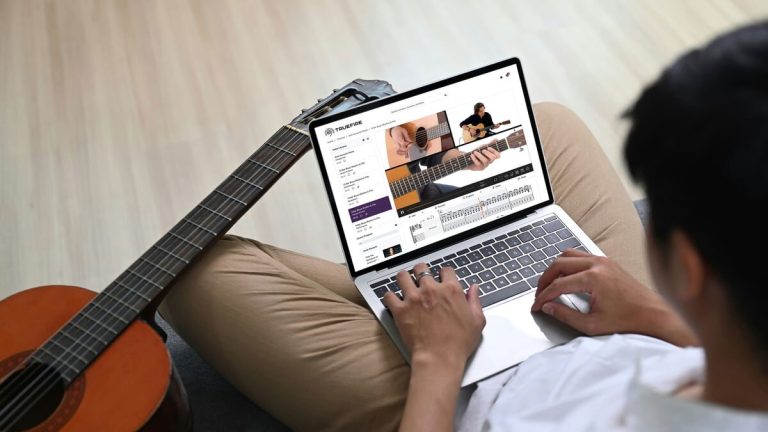
New side-by-side view, speed training, focus mode, and more. Your favorite TrueFire feature is now the best version it has ever been.
Ask any TrueFire student what they love most about learning here and you will hear the same answer again and again: interactive video-synced tab. Watching your instructor’s hands while the tab lights up note for note underneath is the closest thing to sitting across from them in a lesson.
Today we are rolling out the biggest upgrade to that experience since we first introduced it. The new TrueFire video player is live across the library, and it brings a long list of improvements students have been asking for.
Side-by-side view
The headline feature. You can now place the instructor video to the left of the notation instead of above it. On a laptop or widescreen monitor, that means more tab on screen at once and less scrolling mid-lick. Prefer the classic stacked layout? One click toggles between the two, and you can drag the divider to make the video bigger or smaller. The notation reflows automatically.
Speed training
Slowing a passage down has always been part of the player. Now the player can bring you back up to tempo on its own. Set a starting speed and a target speed, and each pass through your loop nudges the playback a little faster. It is the practice method every great teacher recommends, built right into the lesson.
Focus mode and clips
Select any range of bars and everything else disappears, notation and audio alike. When you have isolated the exact four bars you need to drill, save them as a clip and jump straight back to them tomorrow. No more scrubbing through a 12-minute lesson to find the part you were working on.
Smarter looping
Drag across the notes you want to repeat and the loop snaps to the nearest note, rest, or barline. Loops land cleanly every time. A new waveform view sits below the notation, so you can see the shape of the audio and set loop points with precision.
A player that fits how you learn
• Visual fretboard. A fretboard under the notation lights up every note as it is played. If you learn by watching hands more than reading dots, this one is for you.
• Flip the video. Left-handed players can mirror the instructor video horizontally with a single tap.
• Horizontal notation. Display the tab as one continuous scrolling line, so your eyes stay in the same spot while you play.
• Show only what you need. Toggle standard notation, tab, fingerings, chord names, and bar numbers on or off independently.
• Transpose instantly. Change keys on the fly, and the tab updates with sensible fingerings.
• Metronome and count-in. Hear a steady pulse during playback, even when the instructor’s tempo breathes.
• Chord chart view. For strumming and rhythm lessons, strip the view down to chords only.
• Fullscreen and keyboard shortcuts. Play, pause, change speed, and move through the notation without reaching for the mouse.
Works everywhere you practice
Every one of these features works on desktop, tablet, and phone in your browser and in the TrueFire apps. Pick up a lesson on your laptop, finish it on your phone on the couch. Your loops and clips come with you.
Try it right now
Open any course in your library and press play. The new player is already there. If you are not an All Access member yet, this is a very good week to start a free trial and see what a lesson feels like when the tab, the video, and the practice tools all work together.